


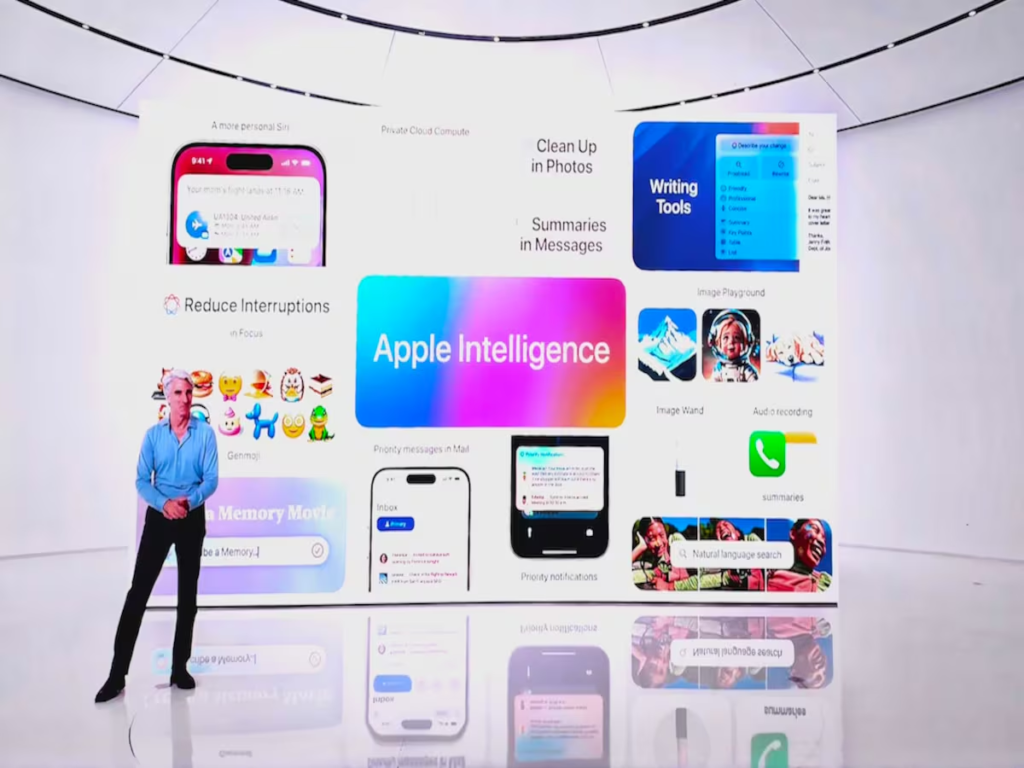
Today, Apple unveiled Apple Intelligence, a personal intelligence system for the iPhone, iPad, and Mac that delivers exceptionally relevant and helpful intelligence by fusing the power of generative models with individual context. The deep integration of Apple Intelligence is evident in macOS Sequoia, iPadOS 18, and iOS 18. It makes use of the capabilities of Apple silicon to simplify and expedite daily chores by understanding and producing language and graphics, executing actions across apps, and drawing on personal context. With the ability to expand and flex compute power between on-device processing and bigger, server-based models that operate on dedicated Apple silicon servers, Apple establishes a new standard for privacy in AI with Private Cloud Compute.
“We’re thrilled to introduce a new chapter in Apple innovation. Apple Intelligence will transform what users can do with our products — and what our products can do for our users,” said Tim Cook, Apple’s CEO. “Our unique approach combines generative AI with a user’s personal context to deliver truly helpful intelligence. And it can access that information in a completely private and secure way to help users do the things that matter most to them. This is AI as only Apple can deliver it, and we can’t wait for users to experience what it can do.”
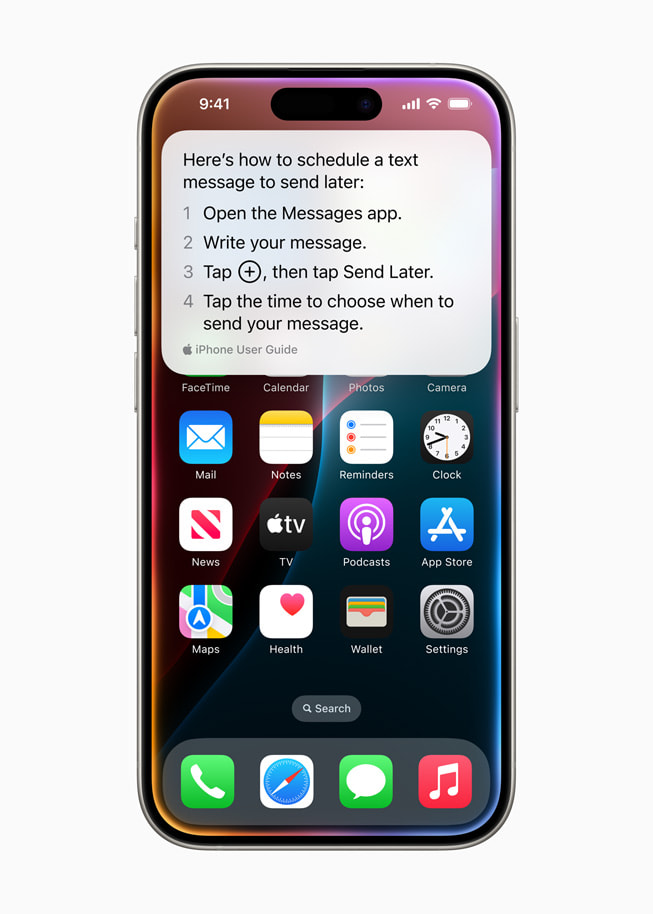
Apple Intelligence unlocks new ways for users to enhance their writing and communicate more effectively. With brand-new systemwide Writing Tools built into iOS 18, iPadOS 18, and macOS Sequoia, users can rewrite, proofread, and summarize text nearly everywhere they write, including Mail, Notes, Pages, and third-party apps. Whether tidying up class notes, ensuring a blog post reads just right, or making sure an email is perfectly crafted, Writing Tools help users feel more confident in their writing. With Rewrite, Apple Intelligence allows users to choose from different versions of what they have written, adjusting the tone to suit the audience and task at hand. From finessing a cover letter, to adding humor and creativity to a party invitation, Rewrite helps deliver the right words to meet the occasion. Proofread checks grammar, word choice, and sentence structure while also suggesting edits — along with explanations of the edits — that users can review or quickly accept. With Summarize, users can select text and have it recapped in the form of a digestible paragraph, bulleted key points, a table, or a list.
In Mail, staying on top of emails has never been easier. With Priority Messages, a new section at the top of the inbox shows the most urgent emails, like a same-day dinner invitation or boarding pass. Across a user’s inbox, instead of previewing the first few lines of each email, they can see summaries without needing to open a message. For long threads, users can view pertinent details with just a tap. Smart Reply provides suggestions for a quick response, and will identify questions in an email to ensure everything is answered.
Deep understanding of language also extends to Notifications. Priority Notifications appear at the top of the stack to surface what’s most important, and summaries help users scan long or stacked notifications to show key details right on the Lock Screen, such as when a group chat is particularly active. And to help users stay present in what they’re doing, Reduce Interruptions is a new Focus that surfaces only the notifications that might need immediate attention, like a text about an early pickup from daycare.

In the Notes and Phone apps, users can now record, transcribe, and summarize audio. When a recording is initiated while on a call, participants are automatically notified, and once the call ends, Apple Intelligence generates a summary to help recall key points.
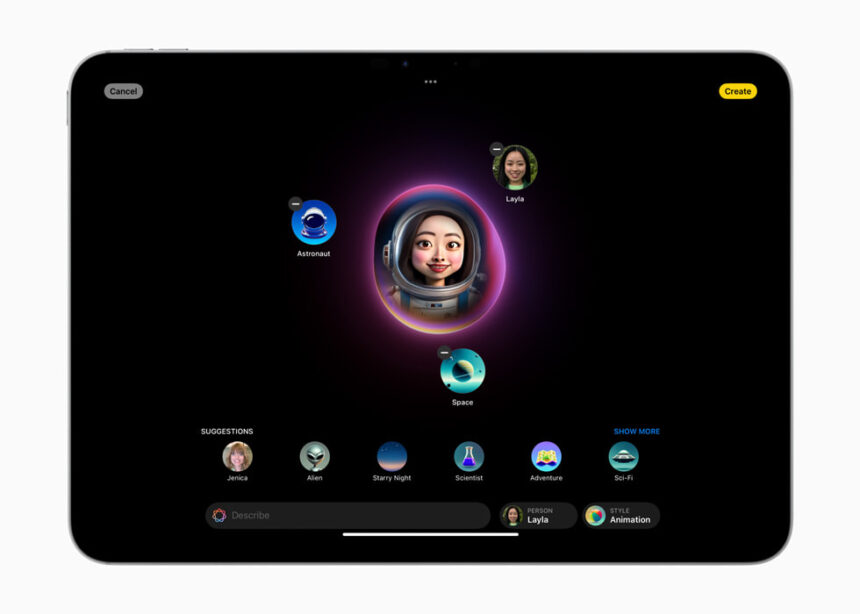
Apple Intelligence powers exciting image creation capabilities to help users communicate and express themselves in new ways. With Image Playground, users can create fun images in seconds, choosing from three styles: Animation, Illustration, or Sketch. Image Playground is easy to use and built right into apps including Messages. It’s also available in a dedicated app, perfect for experimenting with different concepts and styles. All images are created on device, giving users the freedom to experiment with as many images as they want.
With Image Playground, users can choose from a range of concepts from categories like themes, costumes, accessories, and places; type a description to define an image; choose someone from their personal photo library to include in their image; and pick their favorite style.
In Messages, users can quickly create fun images for their friends, and even see personalized suggested concepts related to their conversations. For example, if a user is messaging a group about going hiking, they’ll see suggested concepts related to their friends, their destination, and their activity, making image creation even faster and more relevant.

